There’s something about the pacing of holidays for those of us that are antisocial. I think they’re placed far enough apart just so that we forget how much we dislike the noise, commotion, and in general, being around other people.
And then once they’re over, we start looking at them fondly again in retrospect. So the human mind must be a masochistic organ indeed.
That said, I figured I’d make a quick post today, and document some useful tools for my future reference.
I’ve made a post in the past before, where I was documenting ffmpeg steps used to generate videos, but I’ve since lost the post due to the many updates in hardware I’ve gone through. So here goes.
In ffmpeg, if I have a directory of still images generated from DAZ to create an animation, I can generate a video for the animation using the following command:
ffmpeg -framerate 30 -i davideCreep%04d.png davideCreepA.mp4
The 30 denotes the framerate going into the animation, which in most of my cases, are 30, which I’ve found to generally be smooth enough for my eyes.
The i flag denotes the input pattern. The %04d denotes a 4 digit padded decimal value. So it expects davideCreep png files from davideCreep0000.png up.
The last value, davideCreepA.mp4 is the output mp4 that’s generated.
Now… what do you do if you messed up your initial animation frames, or you have a situation where you have a few frames set up for the initial dForce simulation settings?
That’s where a tool Microsoft (assuming you’re running on Windows) developed, called PowerToys comes into play. Inside the Microsoft PowerToys, there’s one called PowerRename which is superbly powerful.
I originally had the unfortunate condition of having this animation start from frame 2 up to 122.
The fix was to do the following in PowerRename:
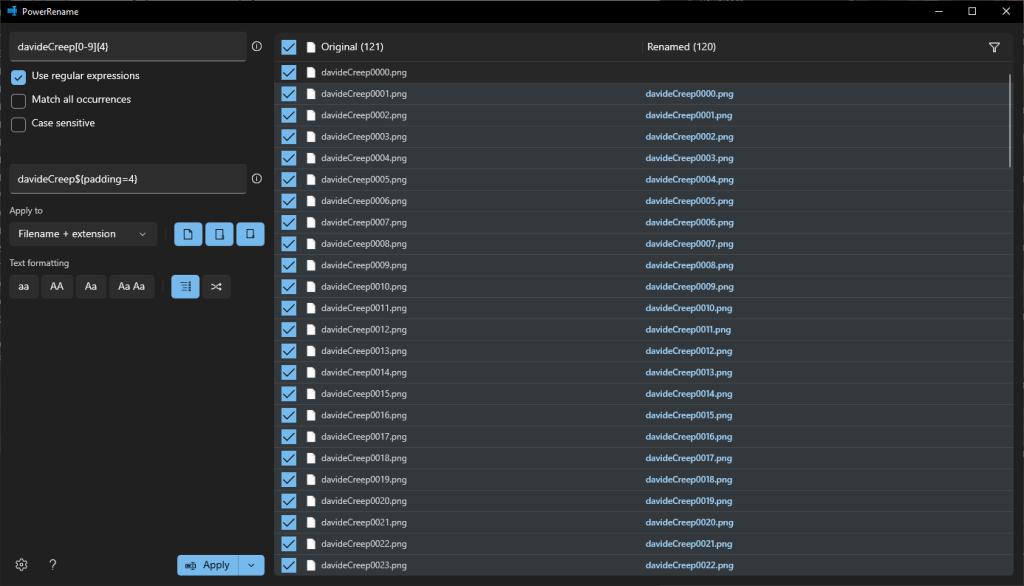
As an explanation, I’m using Regular expressions to pattern match the original files for davideCreep[0-9]{4}, meaning it matches a filenamed davideCreep with 4 decimal digits following it.
Afterward, the second condition davideCreep${padding=4} just sets davideCreep as the output filename with a 4 decimal padded simple counter.
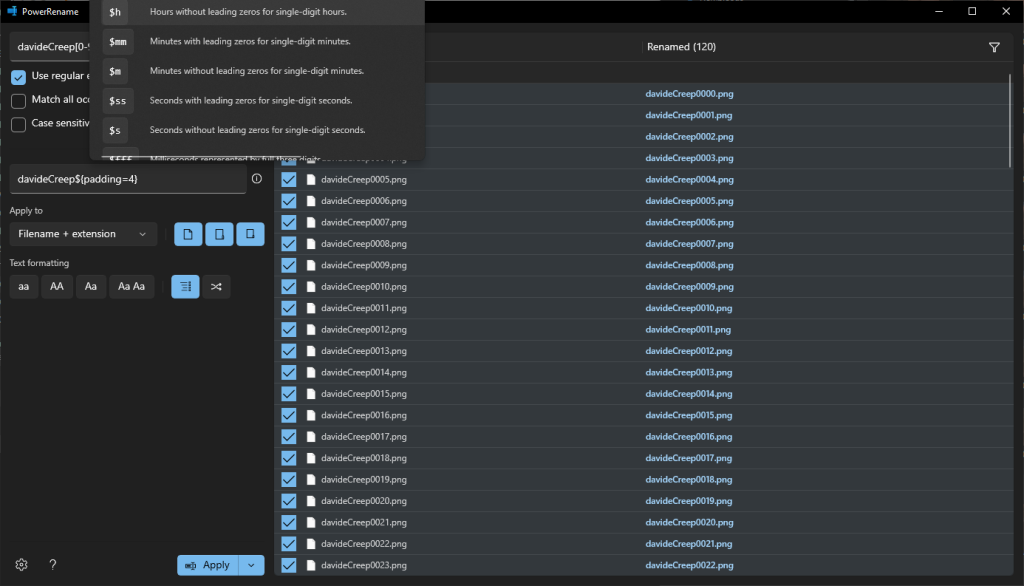
The little info button next to that textbox has a pop-out with some common patterns that are useful:
As for a progress report- I’ve gotten the initial version of the NTR scene’s script fully coded in to the demo. While replaying it, I found a few portions of the dialogue I wanted reworked in some of the setup/searching scenes. So I’ve worked on polishing those.
I’m relatively happy with where the basement search scene’s dialogue is currently, though there are some missing renders for it I will need to add.
For the NTR script, I’ve reworked it over and over again multiple times for polishing. I’m at a stage where I want to go in several times from different angles, and check that it generally still flows the way I want.
I’ll also need to tweak the sound accompaniment somewhat, as there are a few issues with it close to the end of the scene. I’m okay with the initial sound/music accompaniment but the latter portions are going to need more work. This will be in both dialogue as well as fade in’s and fadeouts.
Then, I feel like I need to pad some of the ending dialogue so that the pacing is a bit better, and probably also need to get back to working on the vanilla version of the scene, now that I’ve learned a lot going through the full NTR version of the scene.